Atelier.
A website builder that keeps working after launch.
- Role
- Product design, end to end
- Platform
- Web app, desktop
- For
- Web studios & their clients
- Status
- In design · not final
About
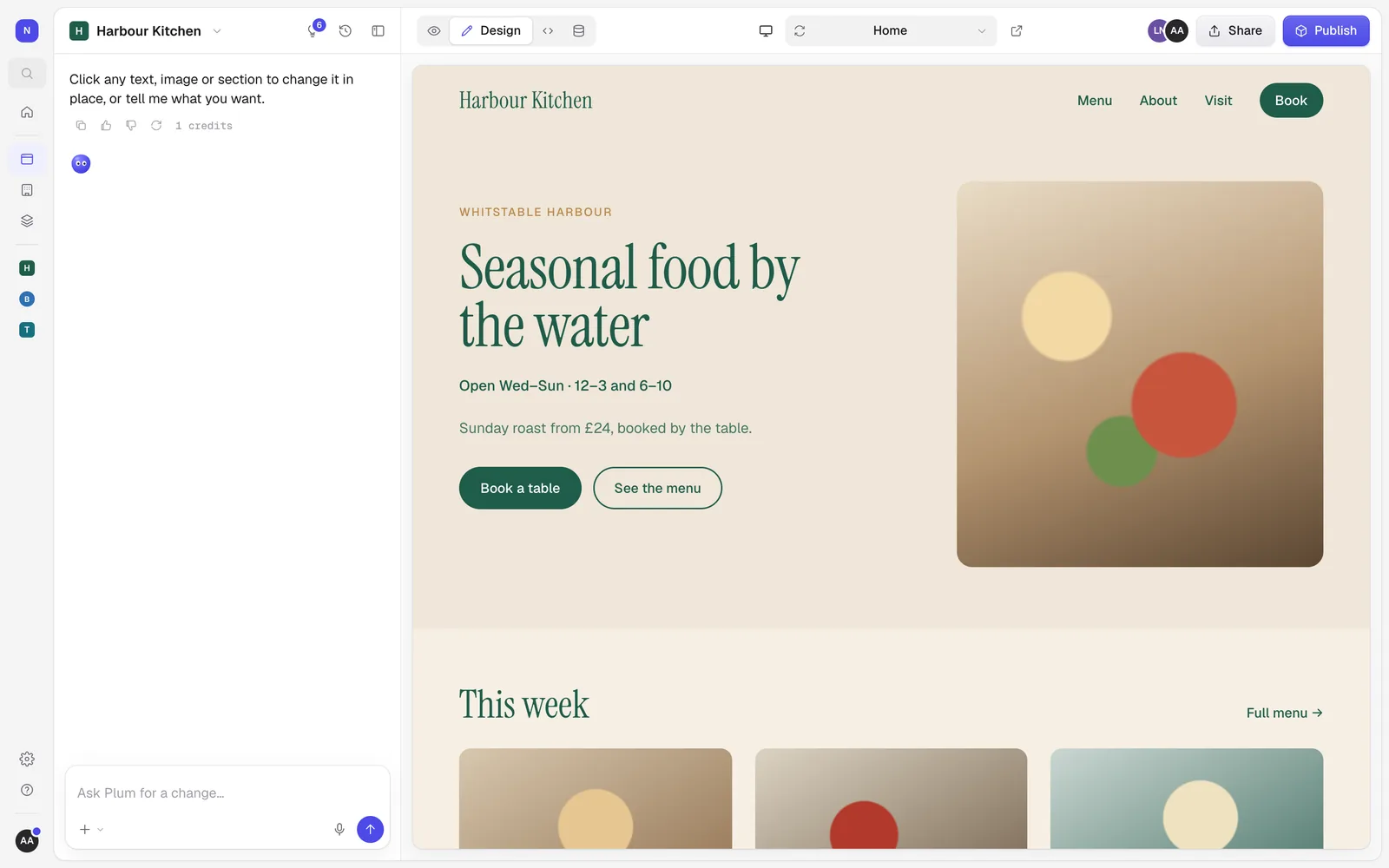
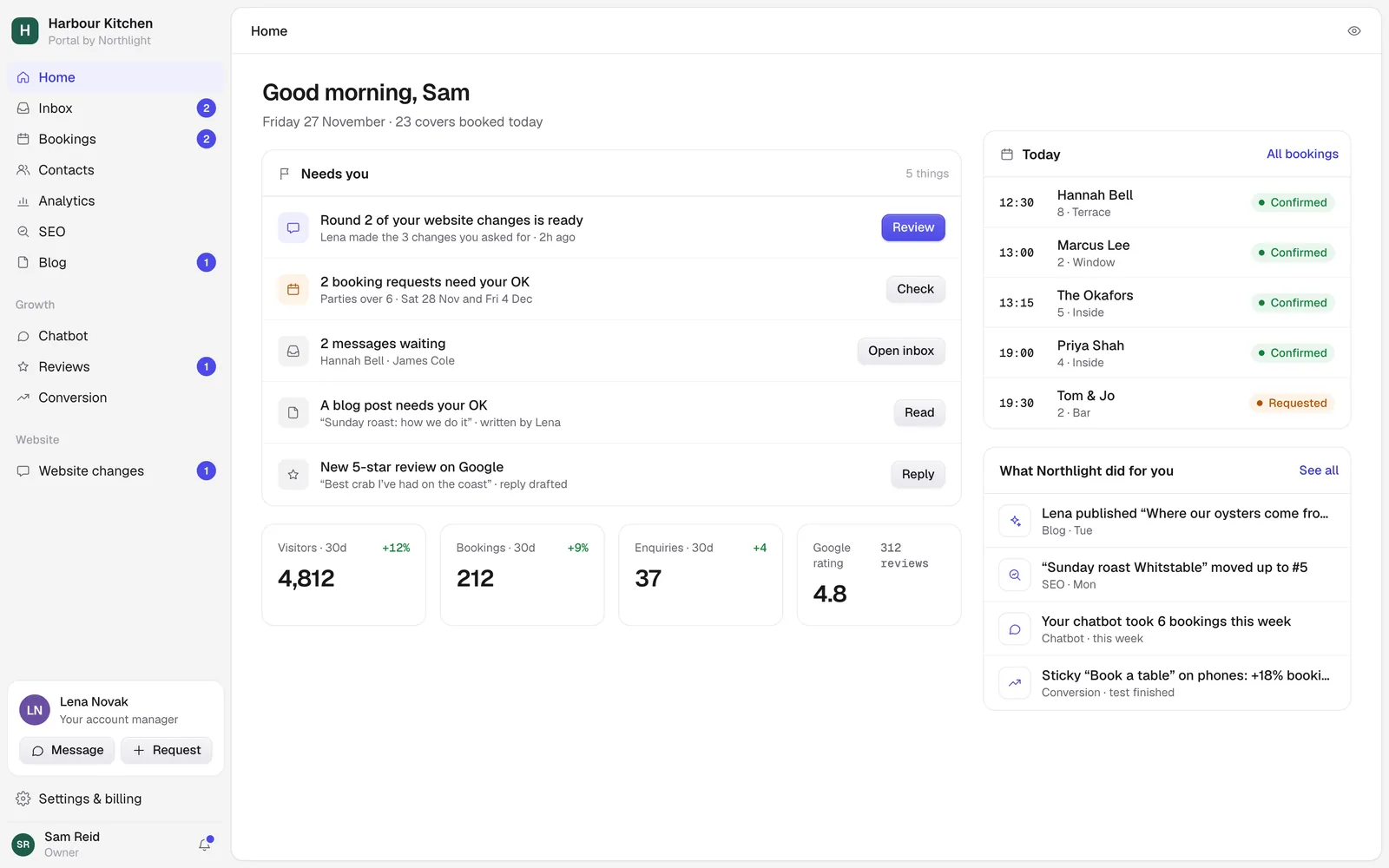
Atelier is a website builder for studios that make sites for small businesses: restaurants, clinics, gyms, shops. A studio manages every client and website in one workspace, builds sites with an AI assistant called Plum, and hands each client a portal where the website keeps working for them after launch.
The problem
Building the site is the easy part. Then come the change requests, the approvals by email, the enquiries nobody follows up, and the monthly “is the website doing anything?” conversation. Studios juggle five tools; clients see none of the value.
Objectives
- One workspace for every client, website, review and task, sorted by what needs attention.
- Go from a client's name and a few links to a first draft, with the AI showing what it read.
- An editor where AI changes are always reviewable before they land.
- A client portal that turns the website into enquiries, bookings, reviews and reports.
Every client and website, sorted by what needs you
Home leads with what needs the studio today: rounds to review, overdue enquiries, SEO issues. Websites and clients are dense tables with status, owners and live traffic sparklines.
From a name and a few links to a first draft
A guided setup: the basics, what the business offers, its customers' voice, and look and feel. Plum reads the business's existing sources, shows exactly what it found, then builds the first draft.
- The right-hand panel always shows what the draft knows so far, and what is still missing.
An editor where AI edits are always reviewable
Select any section, text or image to change it directly or ask Plum. AI changes arrive as a reviewable set with before and after, and every release is in version history.
An assistant that works the backlog
Plum floats over any page. Give it a job, like replying to enquiries or drafting a blog post, and it works through the steps in view, then stops for review before anything is sent.
Intake and approvals without the email chain
Clients answer a friendly intake about their business, then review their site through a link: comment on any part of the page and approve when ready.
The website, working after launch
Each client gets a portal: one inbox for every enquiry, bookings, analytics, SEO, reviews and a blog where Plum drafts posts for the client's OK.